AI That Builds, Supports, and Accelerates How Your Team Learns

AI That Builds, Supports, and Accelerates How Your Team Learns

Set up your site, turn your existing materials into training, and answer your team’s questions on the floor — all from content you already own.

Turn the documents you already have into courses and articles

Give workers instant answers from those same material

Make every article after the first one faster to build

Build

Bring In What You Already Have.
Let AI Assemble It.

Most teams are not starting from nothing. They are starting from a folder of handbooks, SOPs and slide decks that nobody has time to rebuild. SparkLearn starts there too.

Your Site, Built in Minutes

Get up and running faster than ever with SparkLearn’s AI Set-Up Assistant. In just minutes, this powerful tool builds your groups, topics and an entire scaffolded learning site, saving you days, or even weeks, of painstaking set-up.

It asks about your business and the roles you train, then pulls in your logo and colors so the site looks like yours from the first login. It runs once, at set-up, so a smaller team can stand up a full tenant without a services engagement.

A gif shows the AI Set-up assistant being used to create a SparkLearn site for a restaurant.

01

Tell Us About Your Business

We get to know your current processes and identify your team's training needs.

01

Tell Us About Your Business

We get to know your current processes and identify your team's training needs.

02

AI Builds Your Groups & Topics

Set up the structures needed to organize your users and content.

02

AI Builds Your Groups & Topics

Set up the structures needed to organize your users and content.

03

Your Branding Applied

Make your users feel at home with logos and colors that are true to your brand.

03

Your Branding Applied

Make your users feel at home with logos and colors that are true to your brand.

Turn Your Documents Into Courses

New to learning design? No problem. Our intelligent AI Assistant guides you through the process, empowering you to create professional, measurable training content without a steep learning curve.

 Upload a handbook, an SOP or a slide deck. The Assistant reads it and breaks it into a course with articles at the natural stopping points, or writes a single article from the source. What used to be a rebuild becomes an upload.
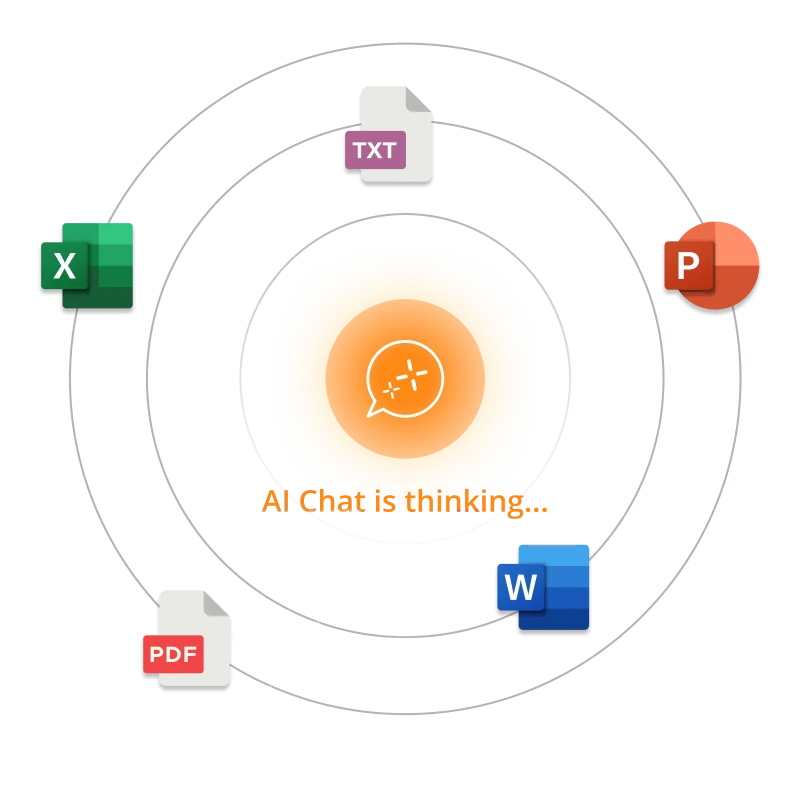
Icons for file types like docx, pptx, pdf, xlsx, and txt orbit around the AI Chat button with the text "AI Chat is thinking..."
A gif shows training materials like docs, slides, sheets, and SharePoint files going into AI and producing a course in SparkLearn with articles based on those files.

Effortlessly transform your existing materials into microlearning content

Modernize even the most traditional resources: SOPs, manuals and classroom guides

Build courses ready to use, complete with quizzes and study aids to reinforce learning and retention in just a few clicks

Accepts documents, spreadsheets, PDFs, PowerPoints, and more

Accepts documents, spreadsheets, PDFs, PowerPoints, and more.

Everything you bring in here becomes the library the rest of SparkLearn runs on.

Support

An AI Chat That Knows Your Business

76%

76%

of SMBs say frontline workers struggle to find the right training assistance when they need it most.

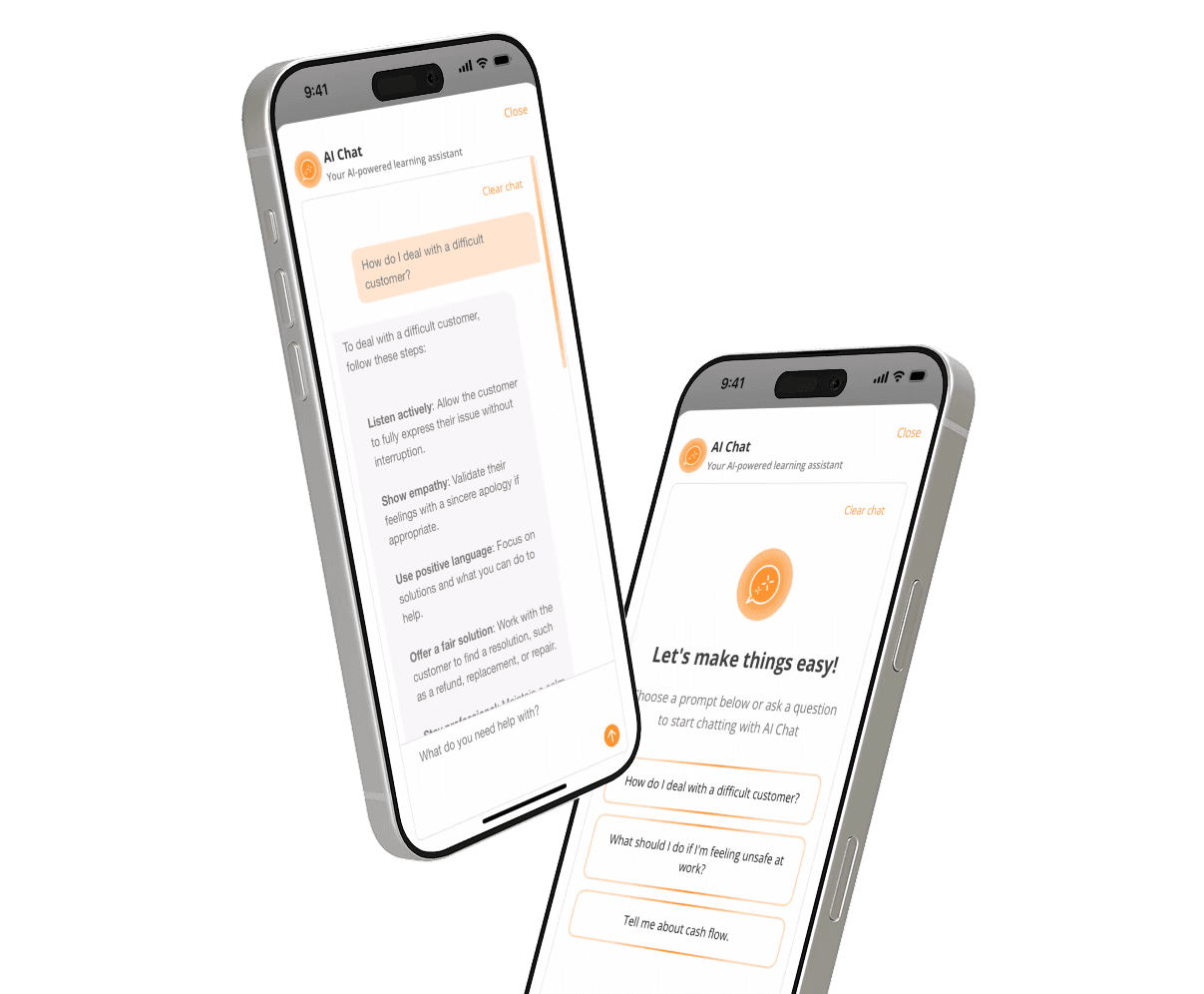
Whether typing a question or exploring learning paths, SparkLearn’s AI Chat features deliver fast, reliable answers grounded in your organization’s real content, not generic internet knowledge.

Two iphones floating at an angle. On the screens they show a conversation with SparkLearn's AI Chat. The chat box says "What do you need help with?"

It answers from the same SOPs, policies, training docs and manuals you brought in above. Ask a question, and it responds with a clear, human-friendly answer, plus the source link to back it up — the difference between an assistant that sounds confident and one that can show you where the answer came from.

Trained on your internal content

Natural language search plus instant chat replies

Links to original documents, not AI hallucinations

Tracks questions asked and content gaps

Works out of the box — no IT set-up needed

Built for Mobile

AI Chat works on phones and tablets, so your deskless team can get support wherever they work.

Answers With Sources

Every reply links back to the document it came from, so anyone can check the original.

Works Out of the Box

No integration project and no IT ticket. It is ready as soon as your content is in.

Integrations Made Easy

We ensure that your pre-existing apps and content blend seamlessly with our platform.

Built for Mobile

SparkLearn's AI Chat works on both phone and tablets making it perfect for your deskless workers to get support

Works Out of the Box

No integration project and no IT ticket. It is ready as soon as your content is in.

Answers With Sources

Every reply links back to the document it came from, so anyone can check the original.

Answers With Sources

Every reply links back to the document it came from, so anyone can check the original.

Integrations Made Easy

We ensure that your pre-existing apps and content blend seamlessly with our platform.

Stop Searching. Start Solving. Discover what’s possible with SparkLearn AI.

Accelerate

Faster Every Time After That

Set-up happens once. Everything after it is the ordinary work of keeping training current, and that is where the rest of SparkLearn’s AI lives — in the small things you do over and over.

Write the article. AI does the rest.

SparkLearn reads the article body you have written and generates the description and tags from it, then builds related tips, flashcards and quiz questions from the same content.

Accurate semantic tags make it easier for learners to find relevant resources, and the study aids are there without a second writing session.

A featured image, without the stock photo hunt.

The right article finds the learner.

An animated gif shows a magic wand transforming an employee handbook in a binder into an article in SparkLearn.

Write the article. AI does the rest.

SparkLearn reads the article body you have written and generates the description and tags from it, then builds related tips, flashcards and quiz questions from the same content.

Accurate semantic tags make it easier for learners to find relevant resources, and the study aids are there without a second writing session.

A featured image, without the stock photo hunt.

The right article finds the learner.

An animated gif shows a magic wand transforming an employee handbook in a binder into an article in SparkLearn.

Frequently Asked Questions

Get answers to the most commonly asked questions about SparkLearn®.
AI

What does the AI in SparkLearn do, and is our data used to train AI models?

SparkLearn uses AI to personalize learning paths, surface relevant content, and assist authors in building microlearning. Your content and learner data are not used to train third-party foundation models.

Does SparkLearn have an AI setup assistant to help me get started?

Yes. SparkLearn's AI setup assistant walks admins through initial configuration — branding, content import and pilot group setup — with guided, conversational prompts instead of a blank dashboard.

Can AI turn my existing Word documents or PowerPoint decks into SparkLearn content?

Yes. Upload a Word doc or PowerPoint deck, and SparkLearn's AI content tools can convert it into structured microlearning modules — breaking long documents into bite-sized lessons and suggesting quiz questions along the way, so you're not rebuilding content from scratch. Smart citations always make sure that the original file stays intact and available.

Does SparkLearn have an AI chat feature for learners?

Yes. Learners can ask SparkLearn's AI chat assistant questions about course content and get answers grounded in your organization's own material, instead of digging back through modules to find something they half-remember.

Can I use AI to get reporting and analytics answers through MCP?

Yes. SparkLearn's LRS exposes an MCP (Model Context Protocol) server so AI tools like Claude can query your learning and completion data directly and answer reporting questions in plain language, instead of you building a dashboard filter by hand.

AI

What does the AI in SparkLearn do, and is our data used to train AI models?

SparkLearn uses AI to personalize learning paths, surface relevant content, and assist authors in building microlearning. Your content and learner data are not used to train third-party foundation models.

Does SparkLearn have an AI setup assistant to help me get started?

Yes. SparkLearn's AI setup assistant walks admins through initial configuration — branding, content import and pilot group setup — with guided, conversational prompts instead of a blank dashboard.

Can AI turn my existing Word documents or PowerPoint decks into SparkLearn content?

Yes. Upload a Word doc or PowerPoint deck, and SparkLearn's AI content tools can convert it into structured microlearning modules — breaking long documents into bite-sized lessons and suggesting quiz questions along the way, so you're not rebuilding content from scratch. Smart citations always make sure that the original file stays intact and available.

Does SparkLearn have an AI chat feature for learners?

Yes. Learners can ask SparkLearn's AI chat assistant questions about course content and get answers grounded in your organization's own material, instead of digging back through modules to find something they half-remember.

Can I use AI to get reporting and analytics answers through MCP?

Yes. SparkLearn's LRS exposes an MCP (Model Context Protocol) server so AI tools like Claude can query your learning and completion data directly and answer reporting questions in plain language, instead of you building a dashboard filter by hand.

AI

What does the AI in SparkLearn do, and is our data used to train AI models?

SparkLearn uses AI to personalize learning paths, surface relevant content, and assist authors in building microlearning. Your content and learner data are not used to train third-party foundation models.

Does SparkLearn have an AI setup assistant to help me get started?

Yes. SparkLearn's AI setup assistant walks admins through initial configuration — branding, content import and pilot group setup — with guided, conversational prompts instead of a blank dashboard.

Can AI turn my existing Word documents or PowerPoint decks into SparkLearn content?

Yes. Upload a Word doc or PowerPoint deck, and SparkLearn's AI content tools can convert it into structured microlearning modules — breaking long documents into bite-sized lessons and suggesting quiz questions along the way, so you're not rebuilding content from scratch. Smart citations always make sure that the original file stays intact and available.

Does SparkLearn have an AI chat feature for learners?

Yes. Learners can ask SparkLearn's AI chat assistant questions about course content and get answers grounded in your organization's own material, instead of digging back through modules to find something they half-remember.

Can I use AI to get reporting and analytics answers through MCP?

Yes. SparkLearn's LRS exposes an MCP (Model Context Protocol) server so AI tools like Claude can query your learning and completion data directly and answer reporting questions in plain language, instead of you building a dashboard filter by hand.

A gradient of oranges, pinks, purples, and yellows blending together to create a dreamy atmosphere.

Your Teams Deserve the Best Learning Experience

SparkLearn will be there to support you from content creation to analyzing user xAPI data. Reach out today to find out what SparkLearn can do to improve your teams' training.

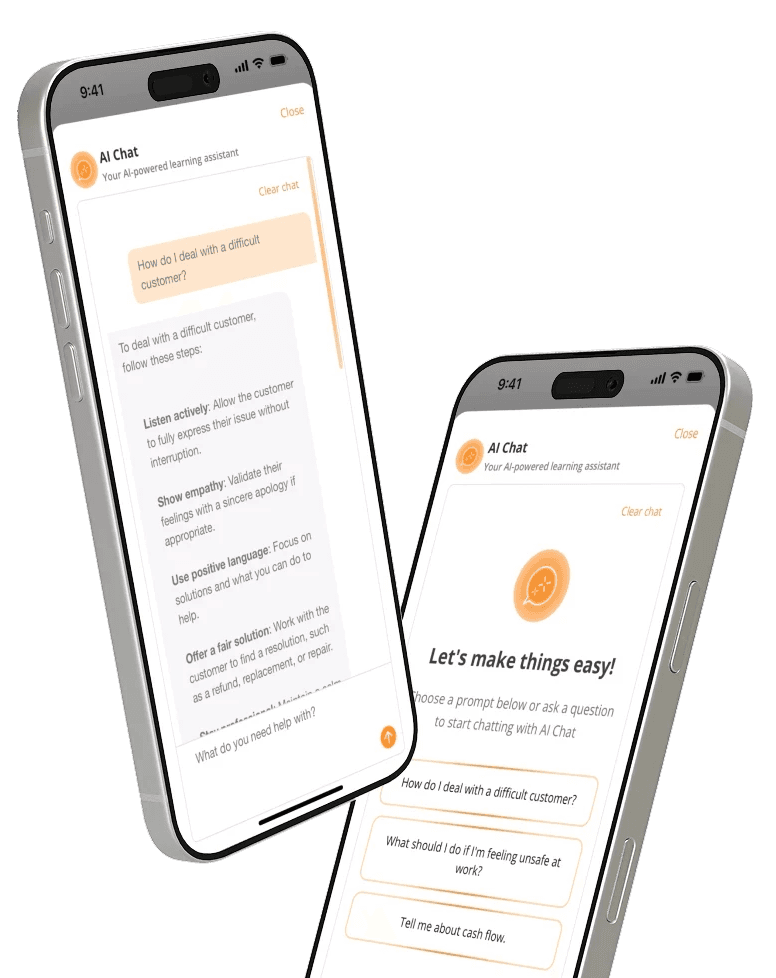
Two iphones floating at an angle. On the screens they show a conversation with SparkLearn's AI Chat.
Bg

Your Teams Deserve the Best Learning Experience

SparkLearn will be there to support you from content creation to analyzing user xAPI data. Reach out today to find out what SparkLearn can do to improve your teams' training.

A gradient of oranges, pinks, purples, and yellows blending together to create a dreamy atmosphere.

Your Teams Deserve the Best Learning Experience

SparkLearn will be there to support you from content creation to analyzing user xAPI data. Reach out today to find out what SparkLearn can do to improve your teams' training.

Two iphones floating at an angle. On the screens they show a conversation with SparkLearn's AI Chat.